
Shelf or link: Sugargoo's terms for both routes, side by side
Two answers in, one card out. No prices, no scores, only what Sugargoo has published for each route.
Build your two-column card
Using Shelf or link in under a minute
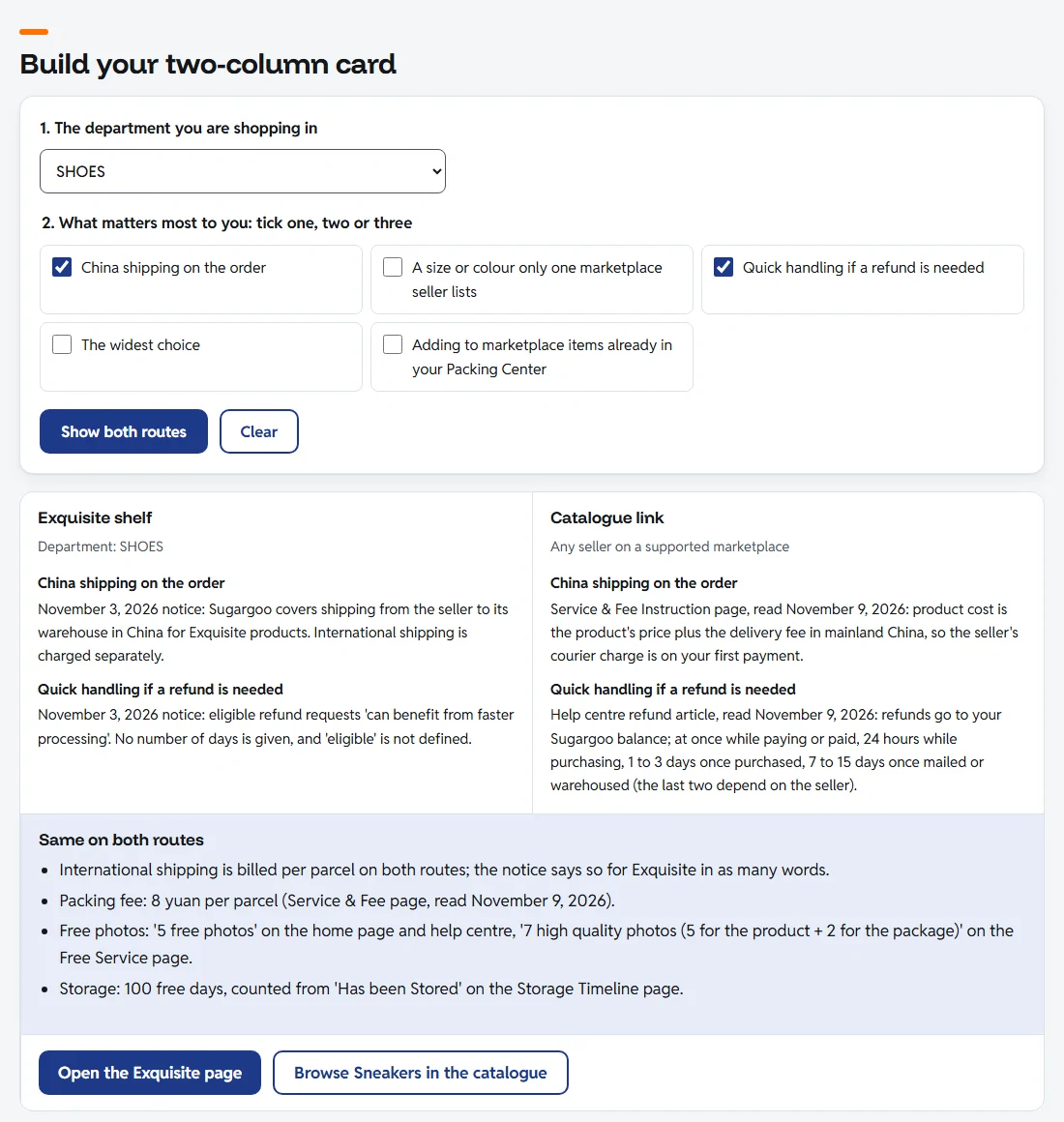
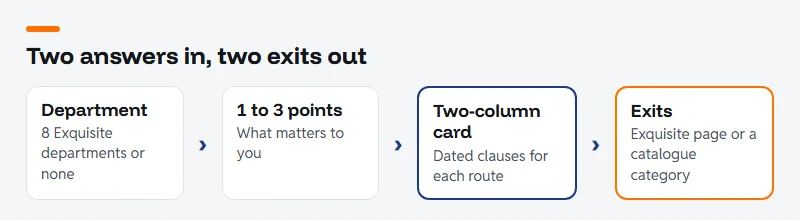
Here is how to use the tool in under a minute. Pick the department first. The list is the eight departments on Sugargoo's Exquisite page in the order they appear, plus a ninth choice for anything Exquisite does not cover, such as perfume. Then tick the things that matter for this purchase. One is enough; three is the limit, because a card with five comparisons stops being readable.
Press "Show both routes". The card shows, for each point you ticked, one line for the Exquisite shelf and one for a catalogue link. Every line names the Sugargoo page it comes from and the day we read it. Under the two columns sits a strip of things that are the same either way, and two exits: one to the Exquisite page, one to the matching catalogue category. If no category matches, the second exit goes to this site's category list.
Change any answer and the card clears. That is deliberate: a card that still shows the last department after you picked a new one is worse than an empty space. The "Clear" button resets everything.
Hints, and when the card stays blank
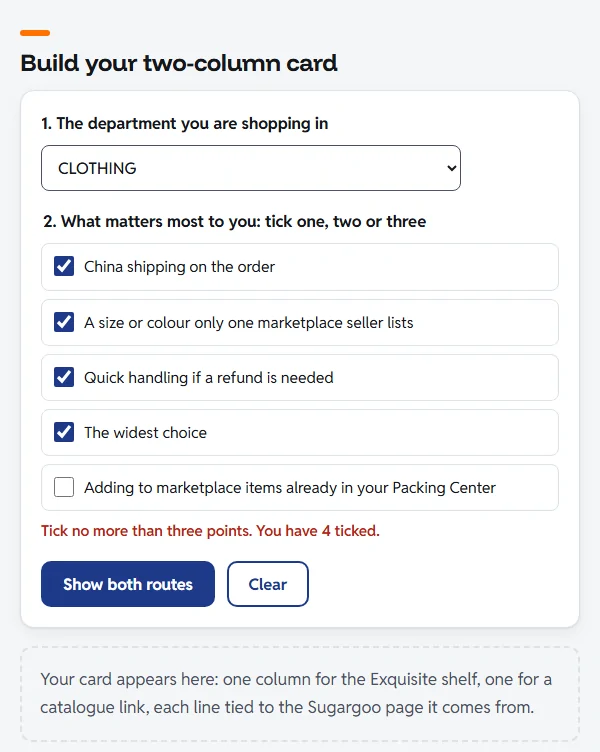
The tool refuses to guess. With no department chosen, it says so next to the department box and shows no card. With nothing ticked, or with four or five ticked, it says so under the list and shows no card either. A hint appears beside the field that needs fixing, not in a pop-up.
It also never adds anything you did not ask for. There is no price box, because Exquisite prices are Sugargoo's and marketplace prices are the seller's, and both change by the day. There is no score and no "winner" line. Where Sugargoo has published nothing, the card says "Not stated" rather than filling the gap with a sensible-sounding answer.
Where each line on the card comes from
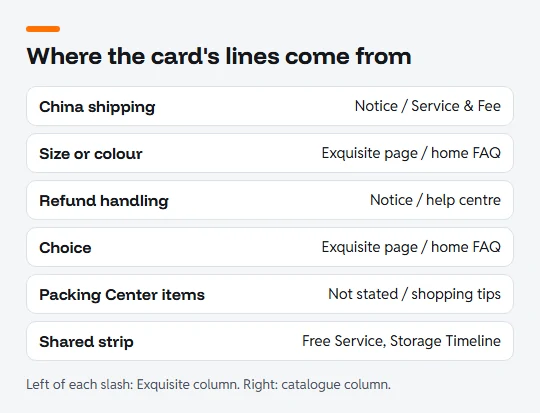
Five Sugargoo sources feed the card: the November 3 notice about Exquisite, the Exquisite page itself, the Service & Fee Instruction page, the help centre's refund article and shopping tips, and the home page FAQ. The shared strip adds the Free Service and Storage Timeline pages.
We copied the wording rather than paraphrasing where the exact words matter, which is why some lines read a little stiffly ("can benefit from faster processing"). When one of those pages changes, the card changes with the next update of this site, and the notices page records what moved.
Questions the card cannot answer
The card tells you what each route promises. It cannot tell you which product is better, whether a seller is reliable, or what your parcel will cost to ship. For those, read how to pick a product, the seller checks, and the costs page, which explains each line on a Sugargoo bill.
A practical pattern: if two of your three ticks favour Exquisite and the department exists there, start on the Exquisite page and look for the ribbon on the card. If the department does not exist or you need a specific size from a specific seller, the catalogue is the shorter road.
Next: read every Exquisite promise in full on the Exquisite page, or create a Sugargoo account when you are ready to order.